Individual
A portable Trust ID, score breakdown, verification status, recommendations, alerts, and sharing controls.

An AI-built verification platform for identity, evidence, reputation, and safer explainable decisions.
Timeline
2026
Team
Independent build with AI
Built with
AI-assisted design and implementation
Prototype walkthrough
The walkthrough connects identity, evidence, verification, reporting, and role-specific workspaces in the live prototype.
Product context
TrustScore explores how credibility can move with a person or organization across high-stakes contexts like hiring, tenancy, vendor review, and finance. The product combines verified identity, credentials, records, financial reliability, reputation, and trusted relationships into a portable trust layer.
The design challenge was to make credibility portable without making it careless. Each decision view needed enough proof to be useful, enough context to be fair, and enough consent detail to avoid becoming a black box.
System model
The product system is organized around six connected layers: Identity, Evidence, Verification, Reputation, Relationships, and Contextual Trust. Those layers shape the public story, individual dashboard, workspace navigation, admin oversight, and reporting views.
Verified person or organization baseline
Credentials, records, finances, and signals
Confidence, source checks, and review status
Behavioral proof without social noise
Mutual attestations and trusted links
Decision-specific outputs and provenance
Workspace design
I studied trust, background-check, credentialing, fintech, and verification patterns to find where users need confidence and where they need restraint. The strongest pattern was contextual trust: the interface should answer the decision being made instead of exposing everything about a person.
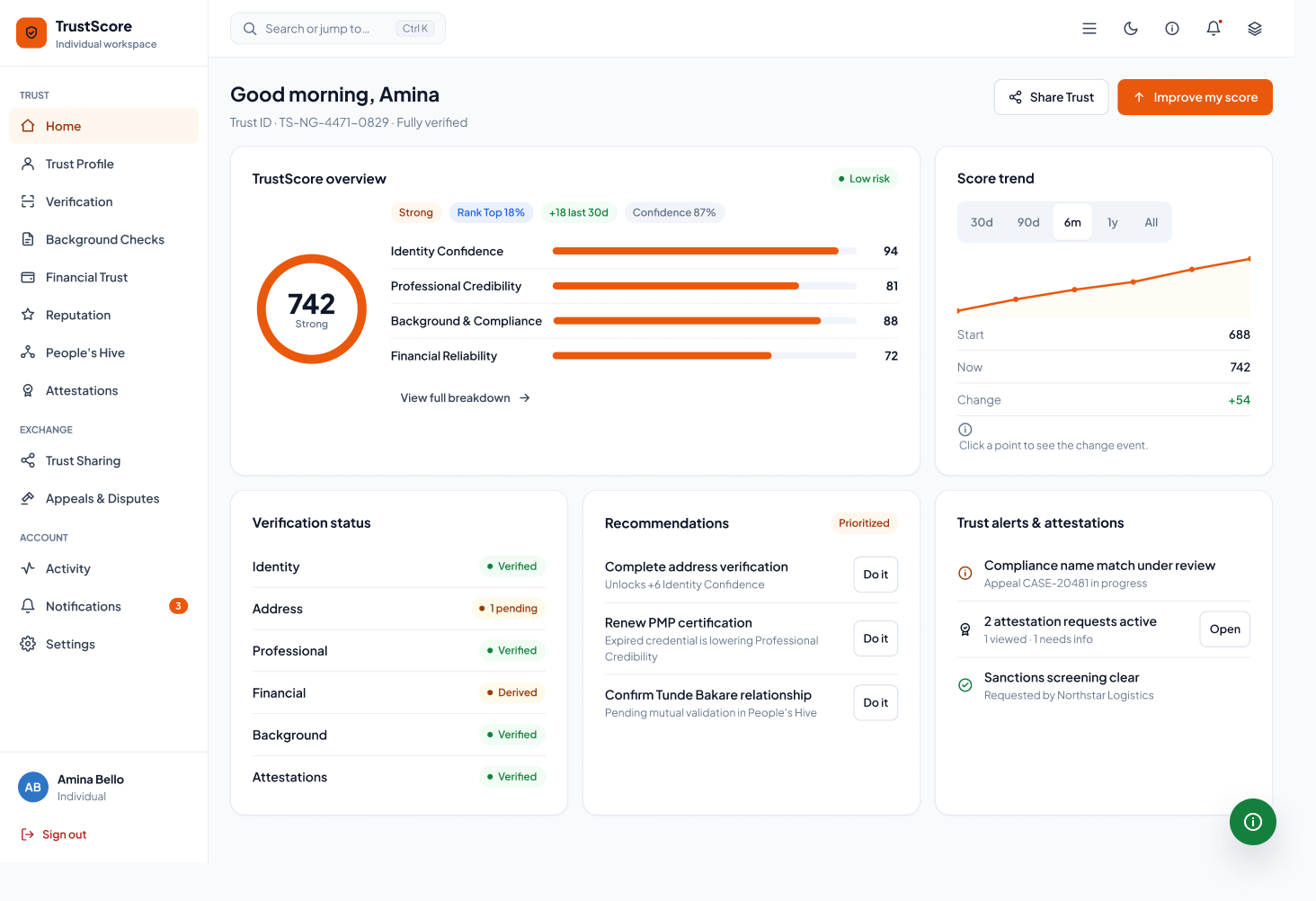
A portable Trust ID, score breakdown, verification status, recommendations, alerts, and sharing controls.
Team-level trust review for onboarding, vendor checks, workforce decisions, and profile requests.
Evidence review, source validation, pending checks, mismatch handling, and outcome states.
API-oriented trust outputs for teams embedding consent-led verification into their own products.
Interface gallery
These views show how the same evidence model adapts across personal, organizational, verifier, reporting, and platform operations work.
Individual trust dashboard
The main workspace keeps the score visible, but pairs it with confidence, status, recommendations, and alerts so the user knows what changed and why.
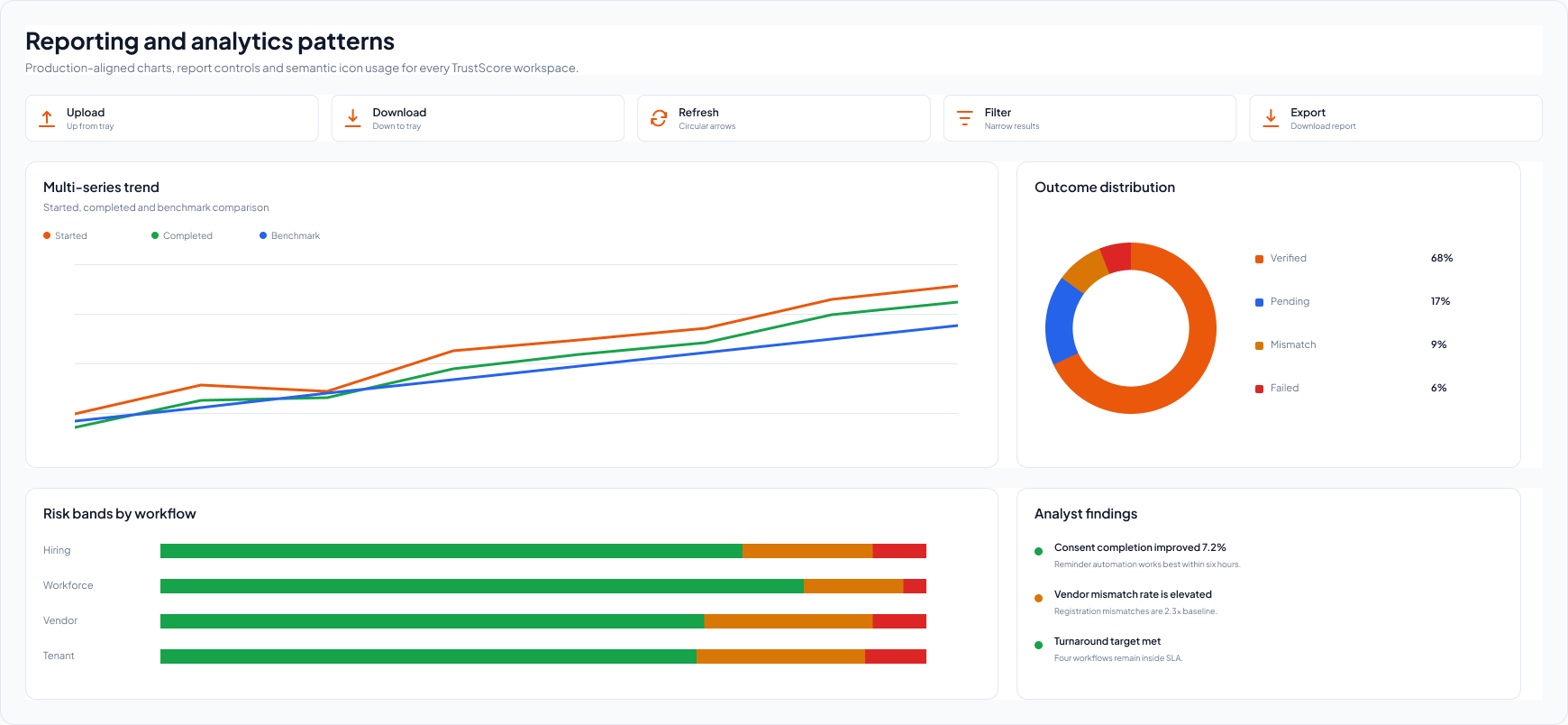
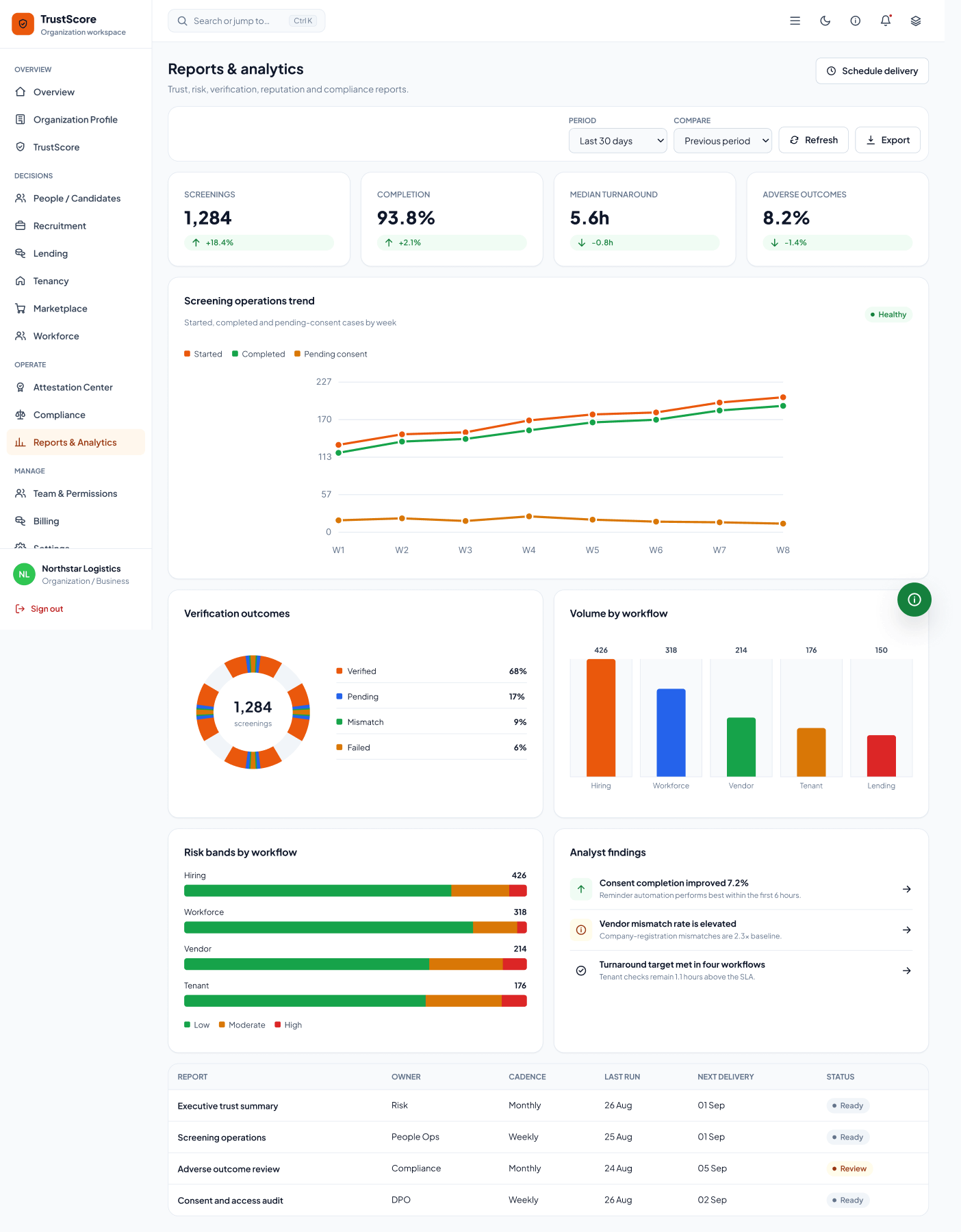
Reporting patterns
Operational views translate trust decisions into trends, outcome distribution, workflow risk bands, and analyst findings.
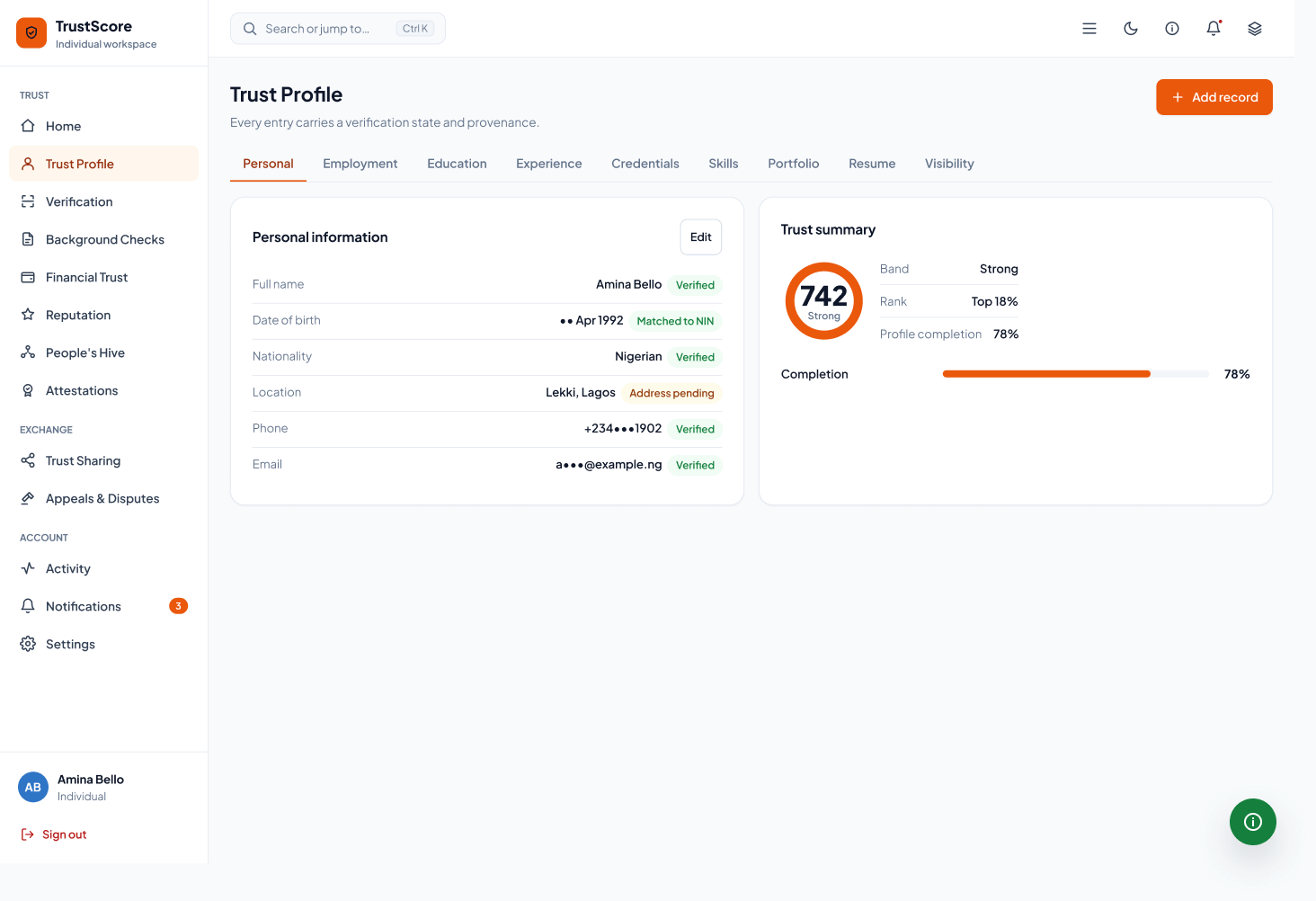
Portable profile
Identity, evidence, and trust signals travel together in one reviewable profile.
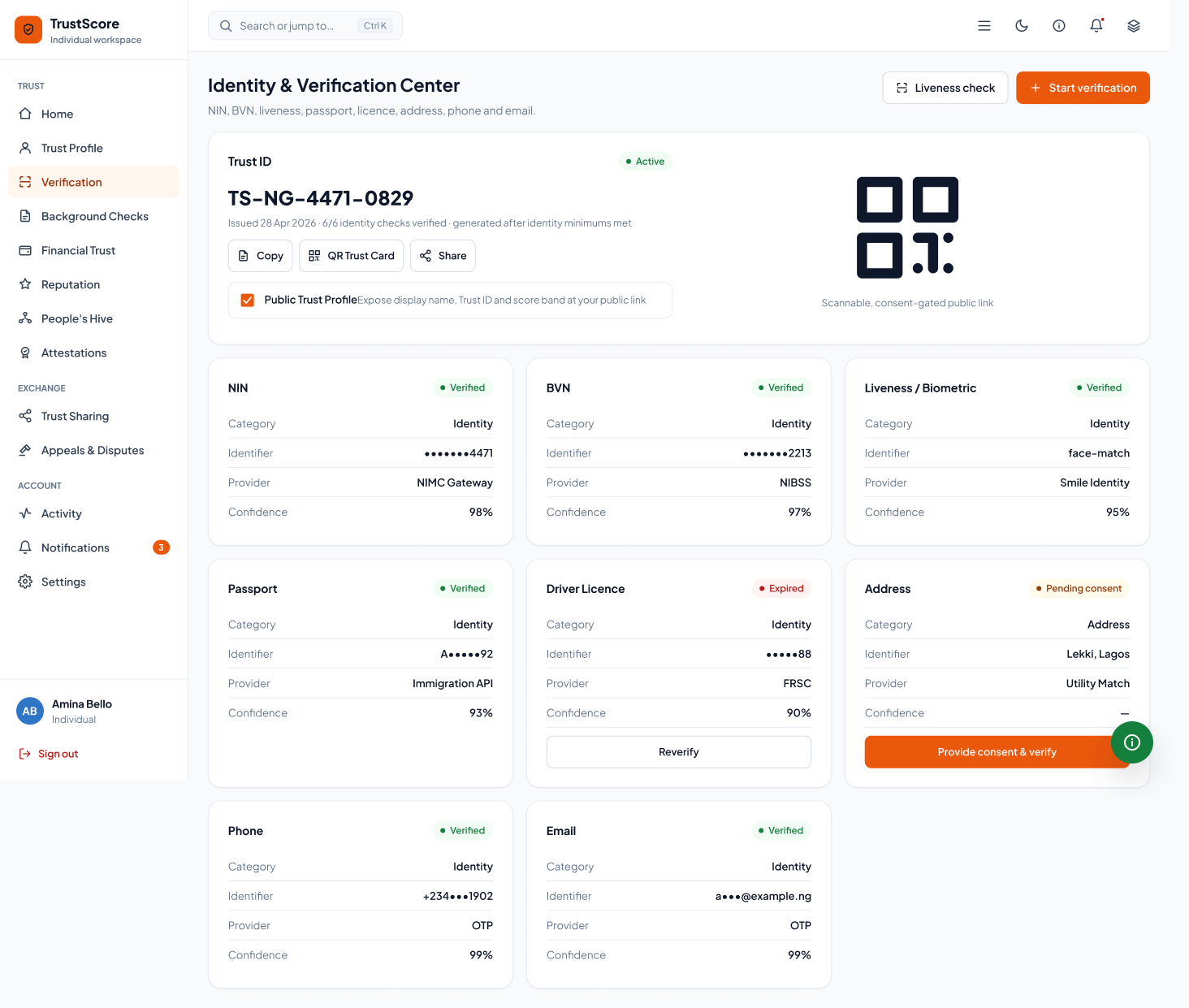
Evidence verification
Status, source, and confidence make each verification outcome legible.
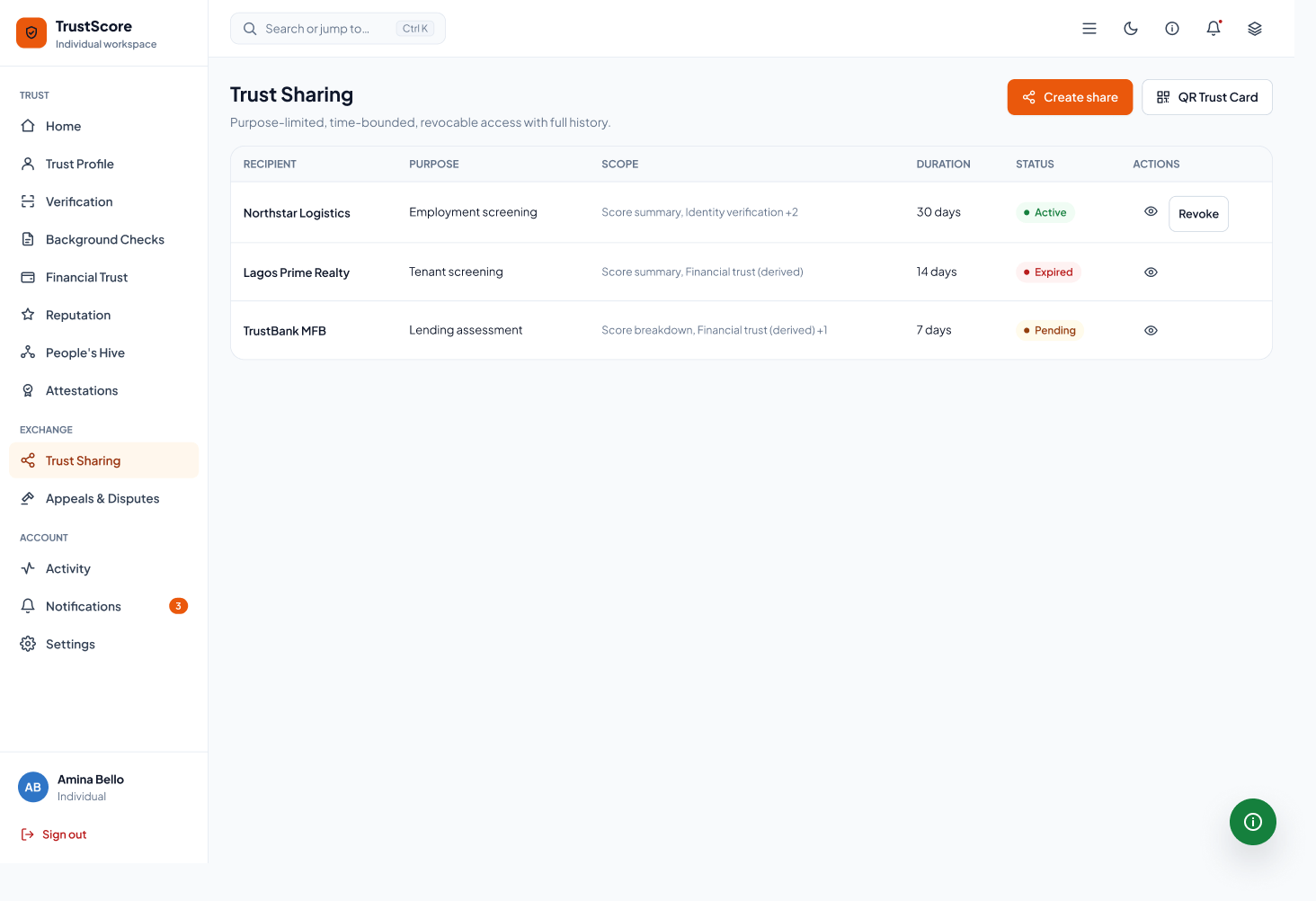
Consent-led sharing
People decide what is shared, with whom, and for how long.
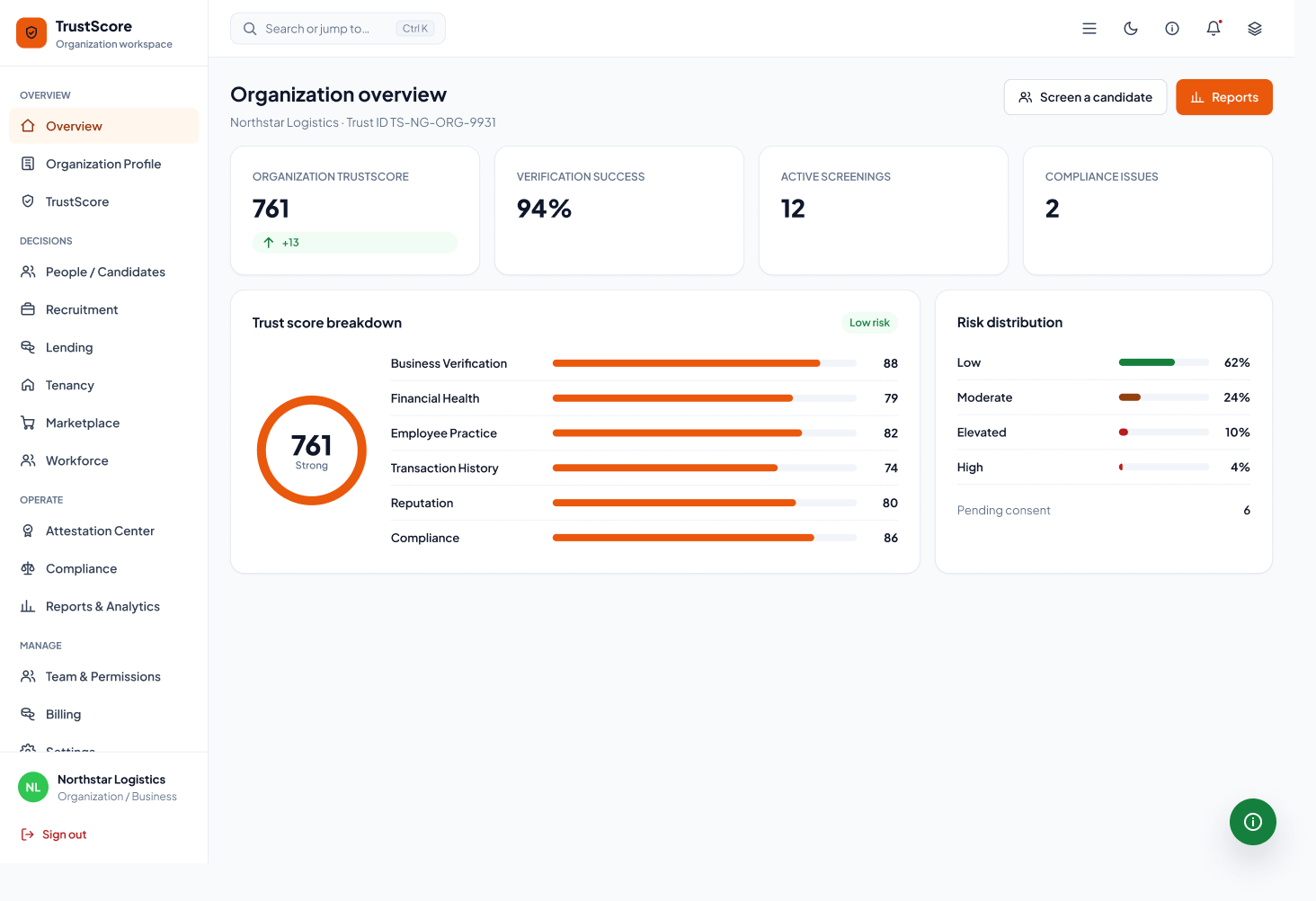
Organization overview
Teams see active reviews, profile requests, risk signals, and pending work in one place.
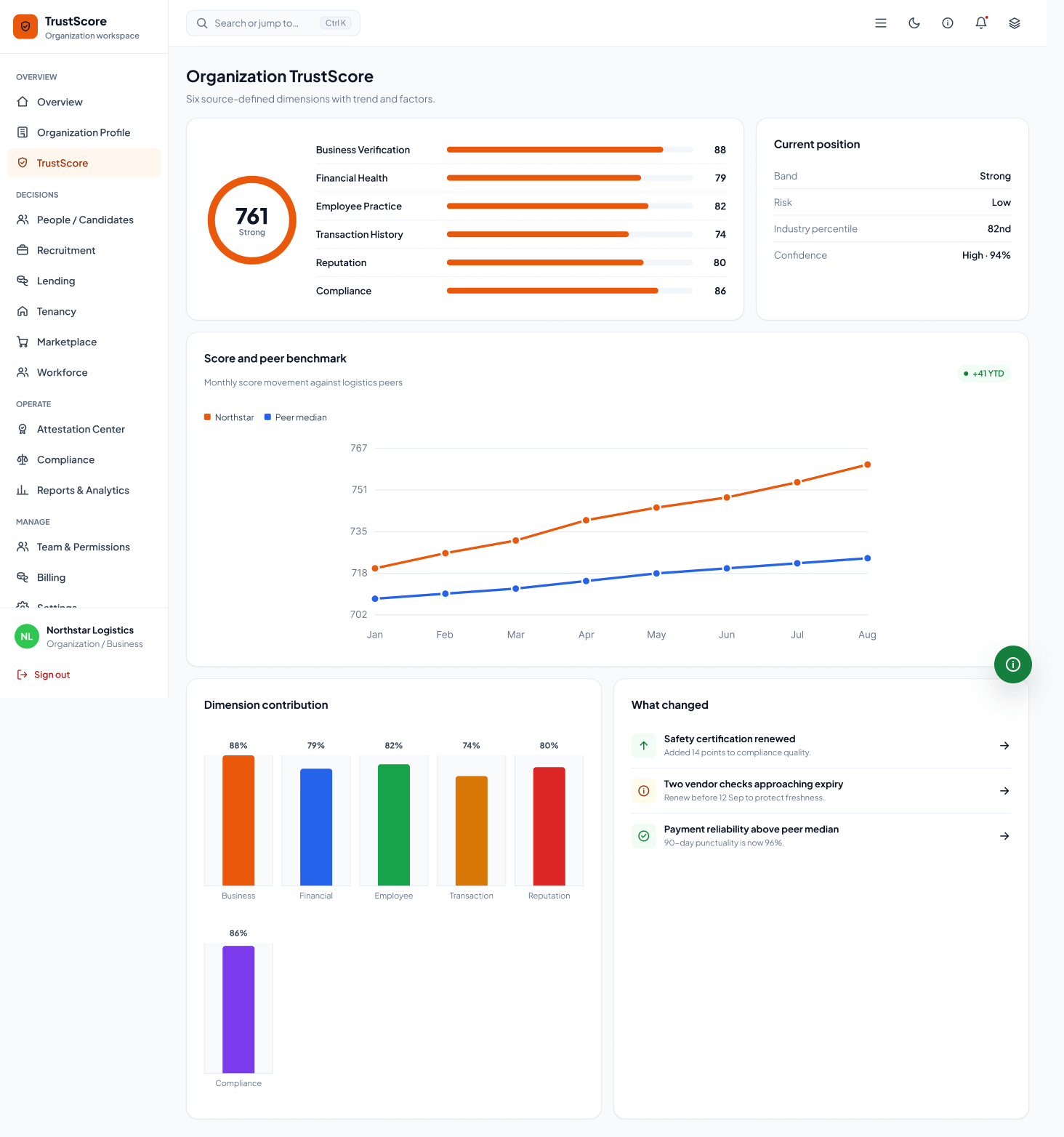
Organization score
A longer evidence view explains the score instead of presenting it as a black box.
Reports and findings
Reports turn repeated trust decisions into a traceable operational record.
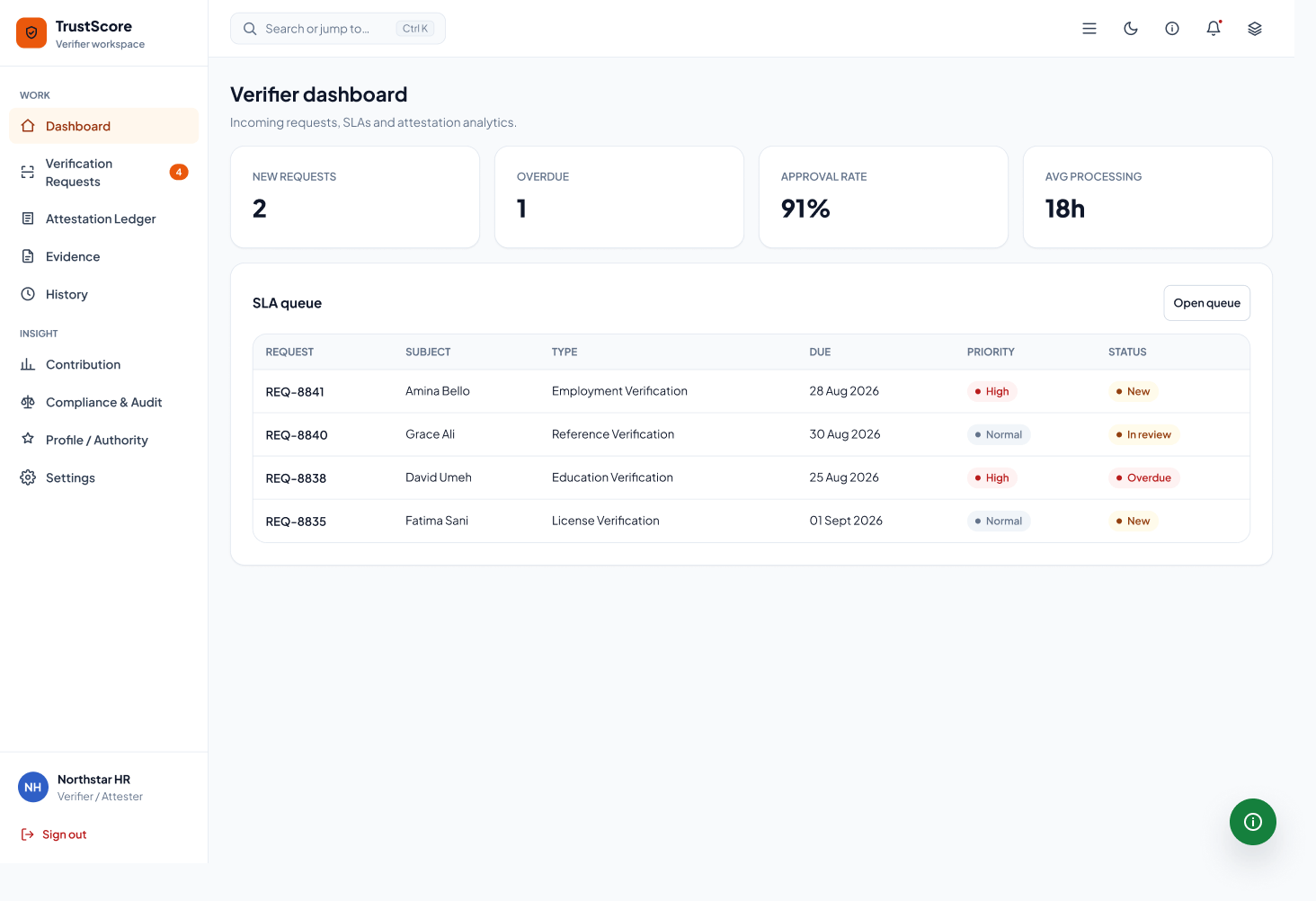
Verifier dashboard
Reviewers can prioritize work by status, risk, and evidence quality.
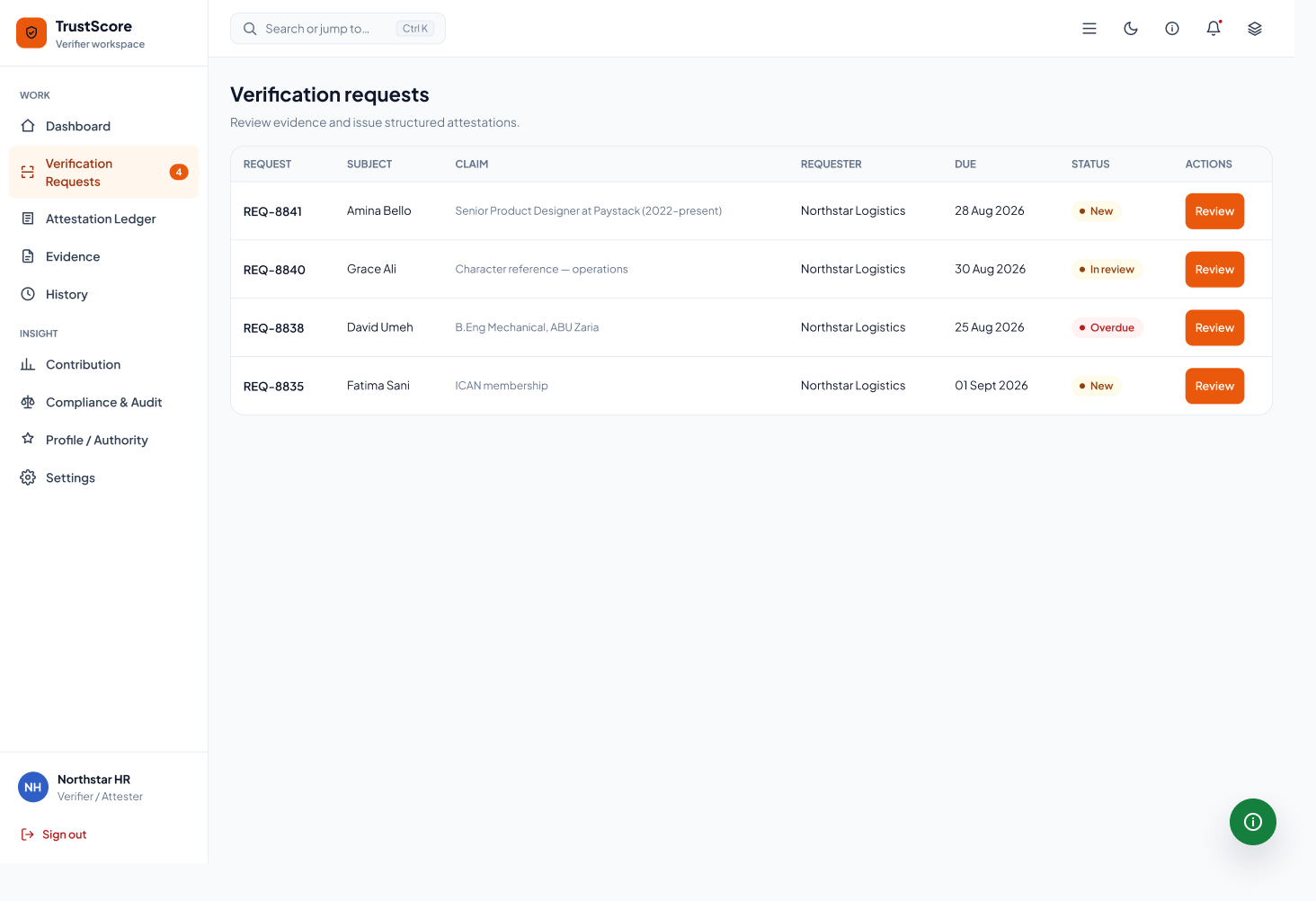
Request queue
A focused queue keeps pending, completed, and disputed checks easy to scan.
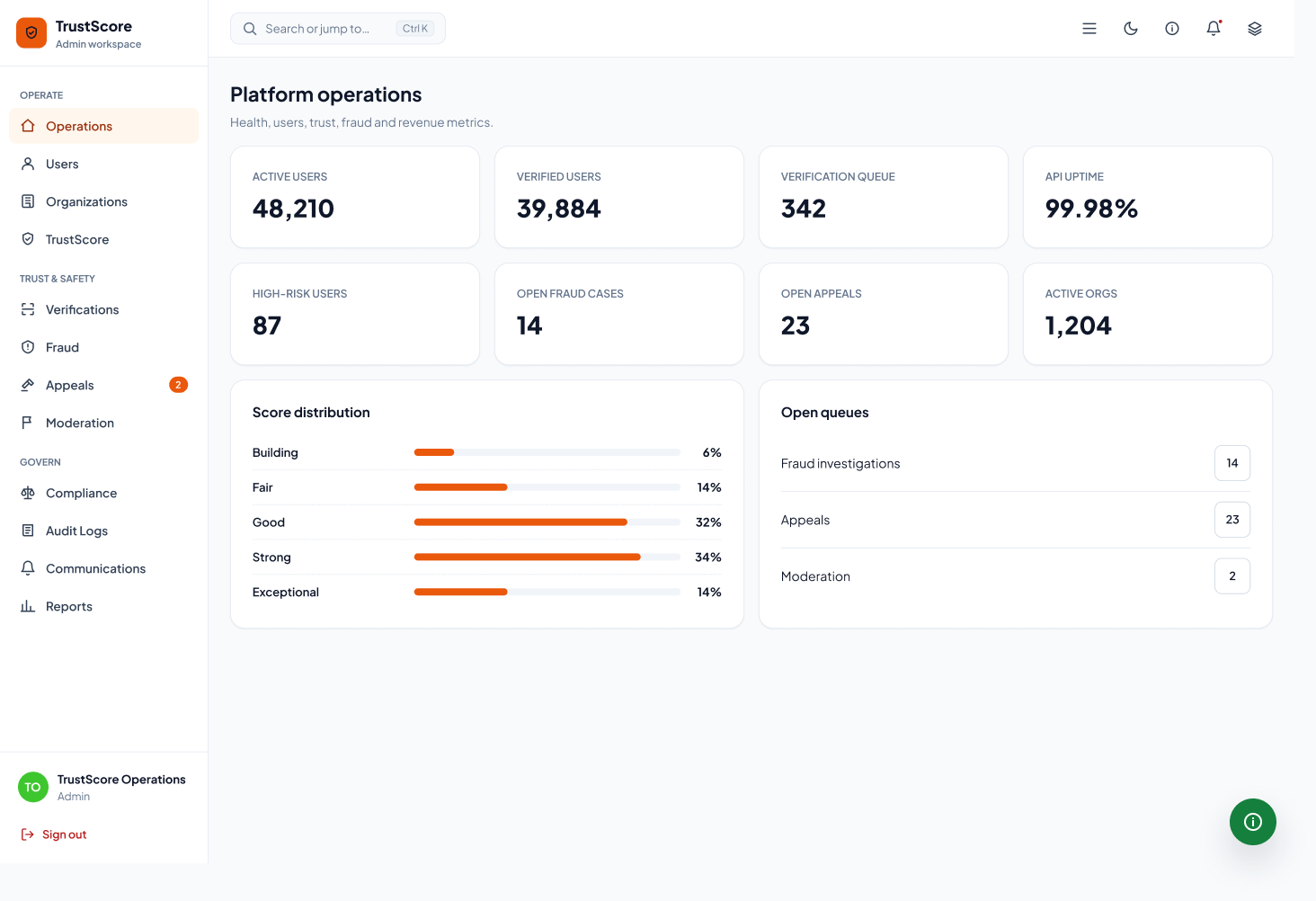
Platform operations
Administrative controls support system health without competing with review work.
Consent and safety
TrustScore is intentionally consent-first. The interface separates verified evidence from derived signals and keeps context visible so employment, lending, tenancy, and vendor decisions are not reduced to the core score alone.
That is why the interface treats evidence provenance, confidence, appeals, and recommendations as first-class UI. TrustScore should help a decision maker act carefully, not simply act faster.
Trust products need explanation and restraint as much as polish
Consent, provenance, and confidence states should be visible parts of the interface
Creative presentation can make dense SaaS screens feel intentional without hiding the actual UI